
Journal
November 2026 – EasySDR: my radios on the iPad
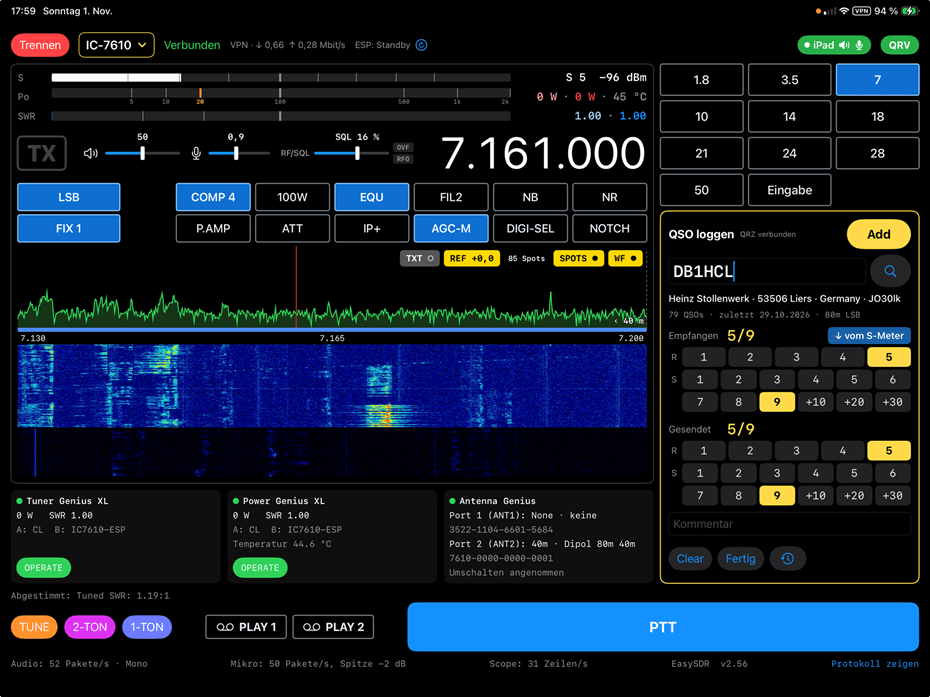
EasySDR is an iPad app that lets me operate my transceivers at home and on the road, over the home network or through a VPN. Like my QSL program, it was written by two Claudes: Claude, the AI from Anthropic, and Claude, LX1LC.
Supported radios
- Icom IC-7610 (HF / 6 m) – over the Icom LAN interface (CI-V, audio, scope)
- Icom IC-9700 (2 m / 70 cm / 23 cm) – with satellite operation
- FlexRadio FLEX-6600M – over the SmartSDR API
All three radios share the same screen layout, so switching between them feels familiar.
What it can do
1. Remote operation. Receive audio and transmit with the iPad microphone or headset. Push-to-talk on the screen or with the space bar of an iPad keyboard.
2. Spectrum and waterfall. Tap to tune and drag to move, with the band plan, repeaters and DX-cluster spots shown in the waterfall.
3. Meters like on the radio. S-meter, ALC, SWR and power, with the same scale as the IC-7610 display.
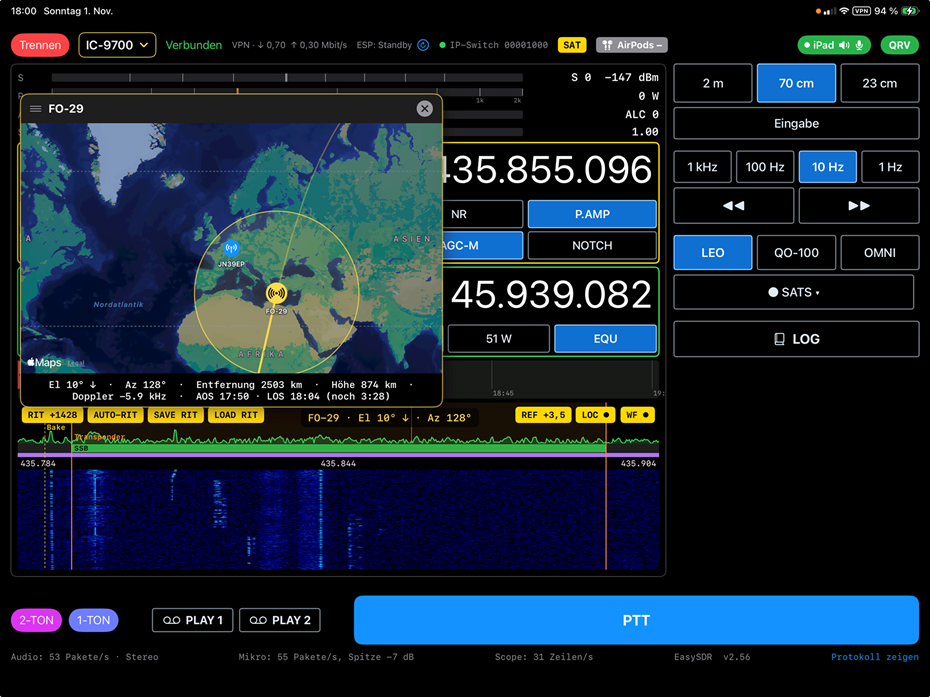
4. Satellites (IC-9700).
- LEO satellites with orbit calculation (SGP4), a world map, pass times and automatic Doppler correction.
- QO-100 with separate correction of LNB and transmit offset, plus automatic calibration on the beacon.
- FT8 reception on QO-100.
5. Logging. Each QSO goes straight into my QRZ.com logbook. For satellite contacts, antenna direction and satellite mode are added.
6. Station control.
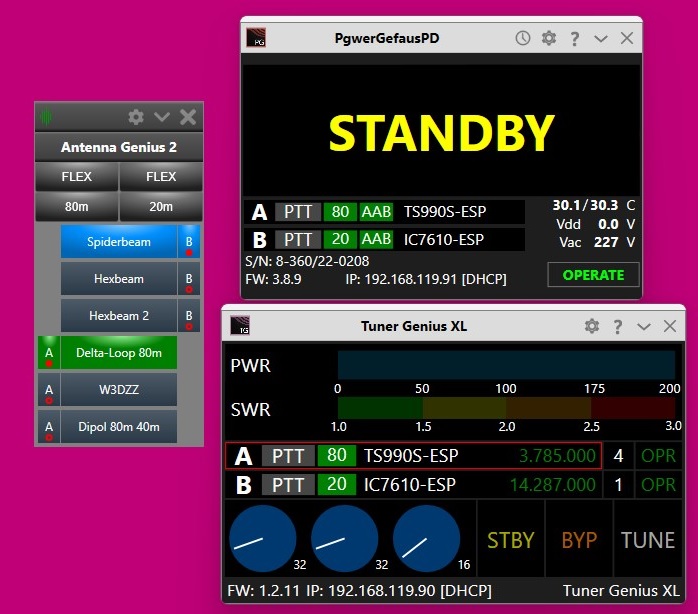
- 4O3A Tuner Genius XL, Power Genius XL and Antenna Genius, including an automatic tune sequence.
- My IP switch for the IC-9700 antenna paths.
- My ESP32 controllers.
7. Audio tools. An 18-band transmit equaliser, automatic DSP adjustment for the FLEX and on-device speech recognition that shows received voice as a text ticker.
8. QRV status. One button reports on my homepage whether I am QRV, and on which band, frequency, satellite or repeater.
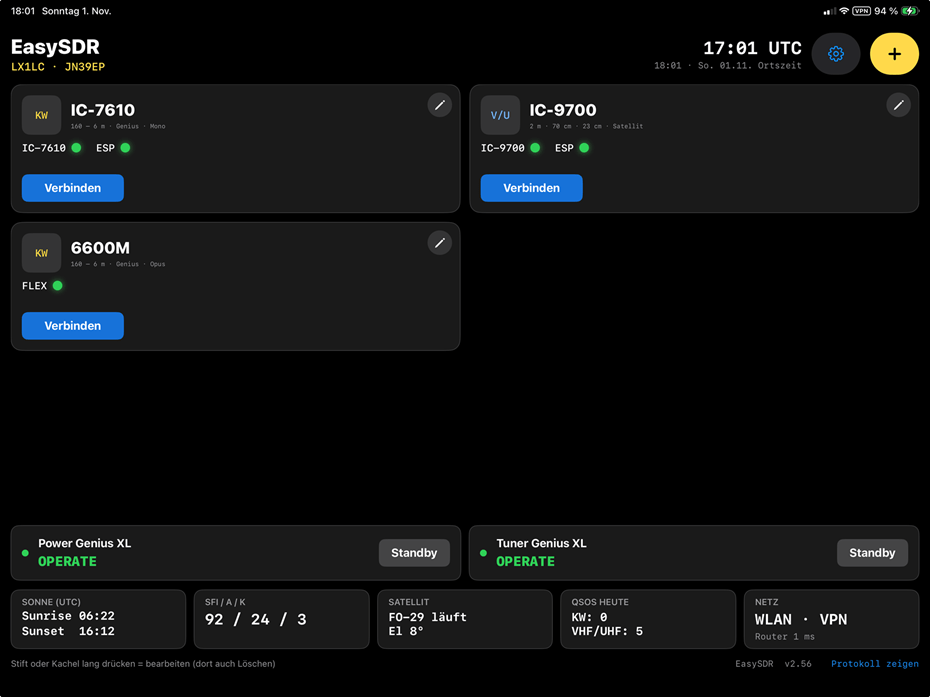
The start screen shows at a glance which radios and devices are reachable, the network type (Wi-Fi, 5G, LTE, VPN) and the current solar data.
EasySDR was built for my own station and is not available on the App Store.
October 2026 – Answering QSL cards in under a minute
October 2026 – Answering QSL cards in under a minute
Replying to paper QSL cards used to mean looking up each contact by hand, filling in my own card and copying the address onto an envelope. I have now automated this with a small Windows program, written in Lazarus by two Claudes: Claude, the AI from Anthropic, and Claude, LX1LC. It works alongside my Ham Radio Deluxe logbook.
How it works
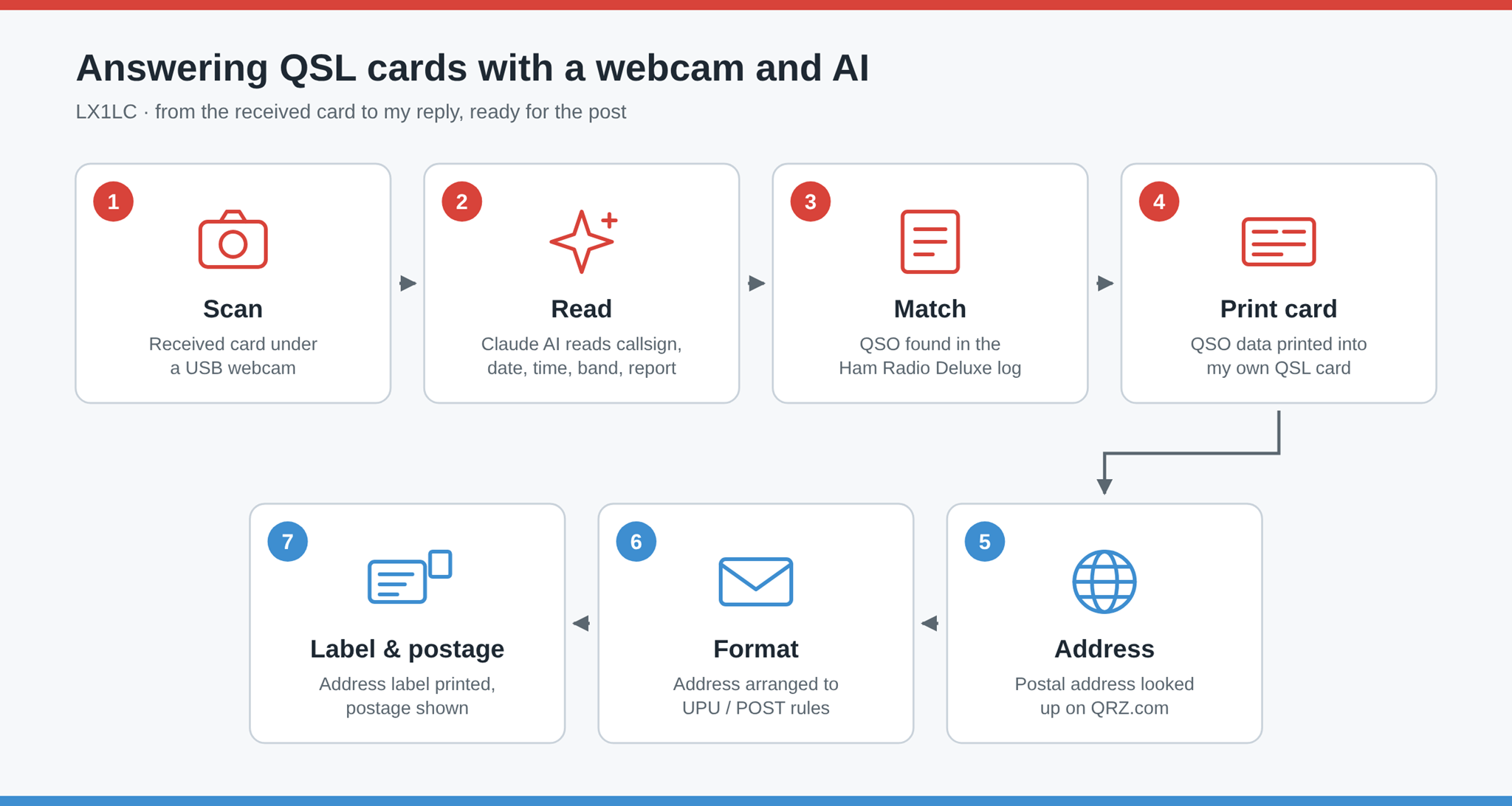
- Scan. I place the received card under a USB webcam. The live image is shown in the program, and one click takes the picture.
- Read. An AI vision model (Claude) reads the card, including handwriting, and returns the call sign, date, time, frequency, mode and report.
- Match. The program looks up the call sign in my Ham Radio Deluxe logbook and selects the QSO that matches the date and time on the card.
- Print my card. The QSO data is printed directly into the fields of my own QSL card on a laser printer.
Most cards then go to the Luxembourg QSL bureau. If a card is to be sent direct by post, the program also takes care of the envelope (the blue steps in the diagram):
- Find the address. The station’s postal address is fetched from QRZ.com.
- Format for mailing. The address is arranged according to the international addressing rules of the Universal Postal Union and POST Luxembourg, with the town and the destination country in capital letters on the last lines.
- Label and postage. An address label is printed on a label printer, and the program shows the correct postage for Luxembourg, Europe or the rest of the world.
The logbook is only read, never modified, and every result can be checked and corrected before anything is printed.
October 2026 – Current projects
October 2026 – Current projects
A lot has happened in the shack over the last months. Here is an overview of the projects I am currently working on.
ESP32 interfaces for my transceivers. I am developing small ESP32-based interfaces that connect my non-Flex transceivers to the 4O3A Genius devices (Power Genius XL, Tuner Genius XL, Antenna Genius). My goal is to get rid of all the CI-V and PTT cabling and to control everything over LAN, which opens up completely new possibilities. There is a dedicated version for each radio: the Icom IC-7610 and IC-7300, the Kenwood TS-990S, and the Icom IC-9700 for VHF/UHF operation. Even the IC-7300, which has no network port, is now part of the LAN through a small IC-7300 ↔ ESP32 CI-V interface. All interfaces run on wired Ethernet, using the Waveshare ESP32-P4 board.
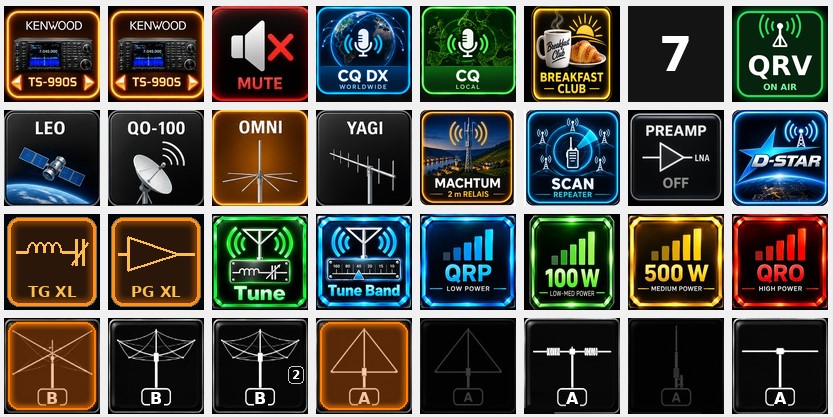
StreamDesk. An Elgato Stream Deck serves as the control panel of my station. Its 15 keys trigger functions in the radio and Genius network, such as muting a transceiver or switching antennas.
Rotor interface. Another ESP32 reads the azimuth of my microHAM ARCO rotor controller over LAN and reports it to the website, so the propagation map always shows the current direction of the Spiderbeam.
Propagation map. The map on the Propagation page shows the WSPR stations I receive and my QSOs of the day, together with the patterns of my antennas. It is based on the original work of HB9IIU and has been extended with the QRZ logbook, the antenna display and the live rotor position.
New functions on this website. The Logging page now shows my latest contacts and satellite QSOs directly from the QRZ logbook, with maps for each continent. You can also retrieve your QSL card online: enter your call-sign and locator, select your QSOs and download the card as a PDF. The home page shows live whether I am QRV, including rig, band and antenna.
More details will follow in separate entries. 73, Claude
14.12.2024 LX1HD SK
I will keep LX1HD in best memory, will remember the nice time we spent together mainly on the Ham-Radio in Friedrichshafen and the fun we always had

29.07.2024 - Signals received through WSPR
My KiwiSDR receiver is able to receive signals transmitted through WSPR.
There are differents Apps and websites available to display the location of the transmitting stations on the map.
With the support of HB9IIU, Daniel from Switzerland who I met by chance on Facebook in a WSPR group, I am trying to integrate in my website a map with the location of the different stations.